



How to Sign Up for Tevau: Step-by-Step Guide
Getting started with a crypto spending card can feel complicated — especially if you’re new to stablecoins or digital wallets. USDT (Tether), a stablecoin pegged 1:1 to the US dollar, is the backbone of Tevau’s platform. Tevau lets you hold a USDT balance, spend via the Visa network, and manage your money from one app. This guide walks you through the entire Tevau sign up process — from downloading the app to activating your card — so you know exactly what to expect at every step.
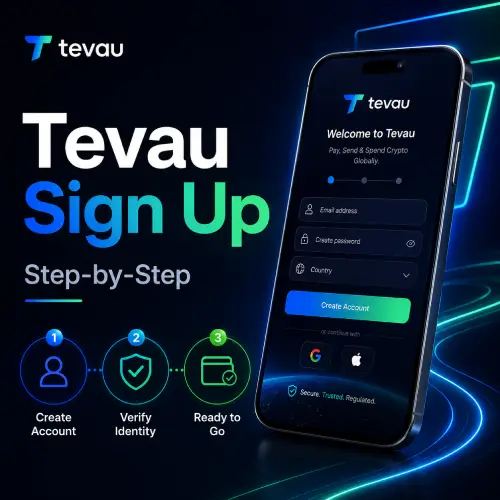
What You Need Before You Sign Up for Tevau
Before starting your Tevau sign up, gather a few things. You’ll need a valid government-issued photo ID and a selfie for identity verification. A working email address and phone number are also required.
Tevau operates under regulated financial standards, so completing KYC (Know Your Customer) is mandatory. This protects your account and ensures your USDT balance is secure. The process typically takes just a few minutes.
You can review the Tevau Wallet & Card Features Explained article before signing up — it gives you a clear picture of what the platform offers.
How to Complete the Tevau Sign Up Process
Follow these steps to create your account and get your USDT Visa card ready to use.
- Step 1 — Download the app: Search for Tevau in the App Store or Google Play. Install the app on your device.
- Step 2 — Create your account: Enter your email address and set a strong password. Verify your email via the confirmation link sent to your inbox.
- Step 3 — Complete KYC: Upload your government-issued ID and take a selfie. Tevau verifies your identity automatically in most cases.
- Step 4 — Add your personal details: Enter your full name, date of birth, and residential address as they appear on your ID.
- Step 5 — Request your card: Once verified, you can apply for a virtual card instantly. A physical card can be requested separately for delivery.
- Step 6 — Top up your USDT balance: Transfer USDT to your Tevau wallet to fund your card. You can then spend anywhere the Visa network is accepted.
Card activation is straightforward once your account is approved. Virtual card activation is near-instant. Physical card activation requires a simple in-app step once it arrives.
For a broader overview of the onboarding experience, read How to Get Started With Tevau.
Fees and Limits to Know After Signing Up
Once your Tevau sign up is complete, it helps to understand the key fees. There is a top-up fee when depositing USDT to your card balance. A foreign exchange fee (FX rate conversion) applies when spending in non-USD currencies.
ATM withdrawal limits and daily spending limits apply depending on your account tier. Transaction fees vary by activity — card payments, withdrawals, and transfers may each carry different rates. For a full breakdown, visit the Tevau Card Fees Explained guide.
If you have questions about limits or charges, the Tevau FAQ page covers the most common queries in detail.
Understanding these costs upfront helps you use your card more efficiently and avoid surprises. Stablecoin spending is generally straightforward, but knowing your fee structure matters.
Frequently Asked Questions
How long does the Tevau sign up process take?
Most users complete the Tevau sign up process in under 10 minutes. KYC verification is automated and typically approved within minutes during normal operating hours. In some cases, manual review may take up to 24 hours. Having your ID and a clear selfie ready speeds up the process significantly. Once approved, your virtual card is available almost immediately.
Is Tevau available in my country?
Tevau is available in a growing number of countries. Eligibility depends on your country of residence and local regulatory requirements. The app will confirm availability during the sign up flow. If your country is not yet supported, you can register your interest through the platform. Tevau continues to expand its supported regions as its regulatory approvals progress.
What documents do I need for Tevau KYC?
You need a valid government-issued photo ID — such as a passport or national identity card — and a real-time selfie. Some users may be asked to provide proof of address, such as a utility bill or bank statement dated within the last three months. All documents should be clear, unedited, and fully visible. Blurry or cropped images may delay your verification.
Can I use Tevau without a physical card?
Yes. Once your Tevau sign up is complete and your account is verified, you can activate a virtual card instantly. The virtual card works for online purchases and can be added to digital wallets. A physical card is optional and can be requested separately through the app. Both card types are linked to your USDT balance and work on the Visa network.
What is the spending limit on the Tevau card?
Tevau applies daily spending limits and ATM withdrawal limits based on your account verification level. Higher-tier KYC verification typically unlocks higher limits. You can check your current limits inside the app under your card or account settings. If you need to increase your limits, completing additional verification steps may be required. Tevau’s FAQ covers specific limit details for each account level.
Conclusion
The Tevau sign up process is designed to be quick, clear, and accessible for anyone ready to start spending USDT via the Visa network. This guide covered everything from document preparation to card activation and the fees you should understand upfront. Whether you’re signing up to manage daily expenses or reduce foreign exchange costs while travelling, Tevau gives you practical tools in one app. Ready to get started? Visit the Tevau card page and begin your sign up today — your USDT balance could be ready to spend in minutes.